Notify your whole department in seconds.
A complete department notification system, with detective on-call scheduling and duty-line routing built in. One app on every officer's phone. Nothing to install, no server to run.
One system instead of four workarounds.
Personal cells, call forwarding to a short list, group texts nobody confirms, and a schedule that's wrong the moment two detectives trade a night.
Department call-outs
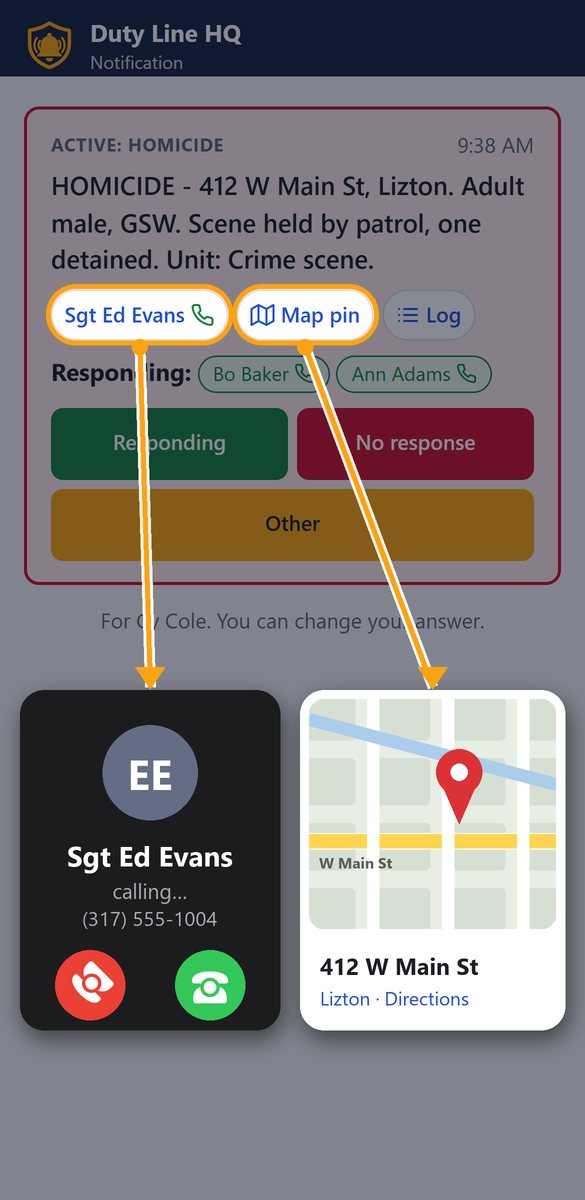
Any unit, any incident. A phone call reads it out, a text brings a private link to the app, and the supervisor watches who's coming, live.
Detective duty line
One number anyone in the department can call. It routes to the detective who's actually up, and they press 1 to take it.
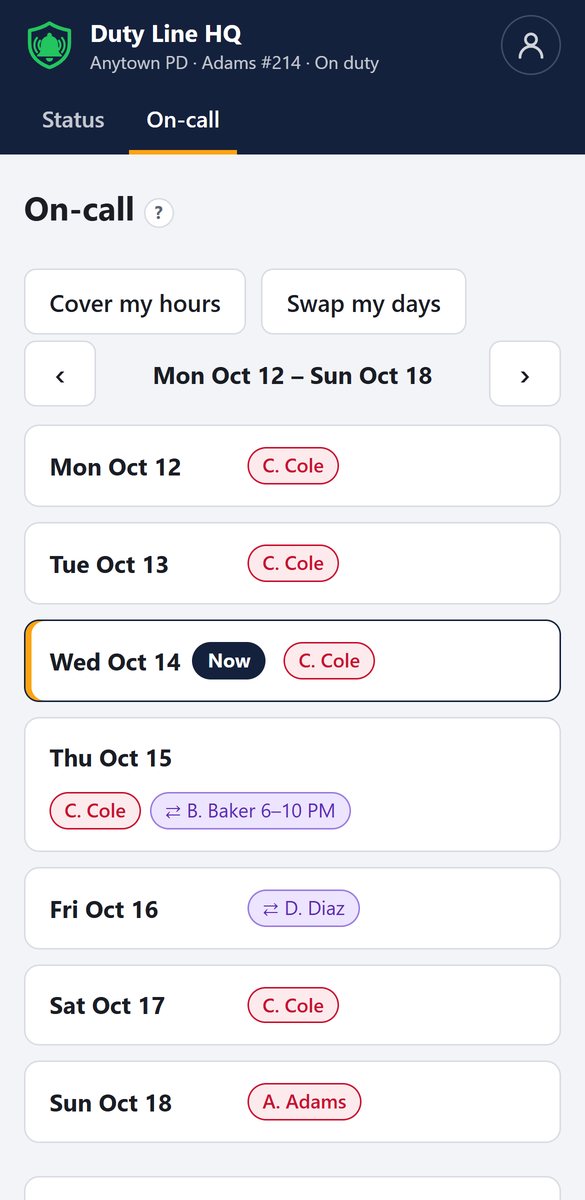
Detective on-call schedule
A week view, swaps and hour-by-hour covers, all logged. Detectives trade their own time without calling the sergeant.
Call out any unit, from a short form.
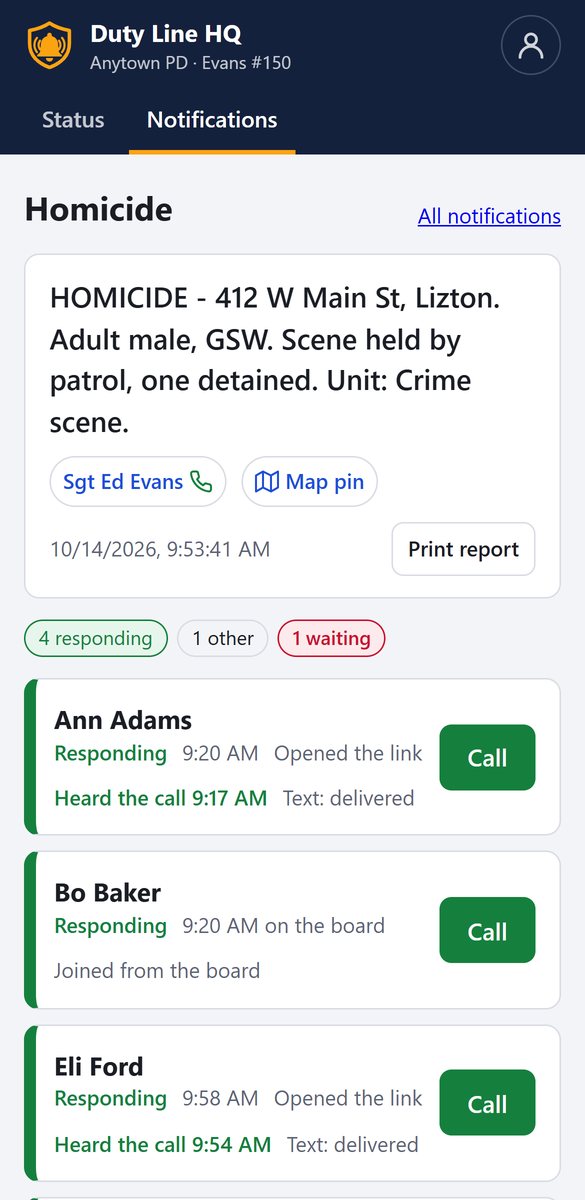
The supervisor fills in a template with the address, what happened, and a map pin from their phone. Templates decide who's notified for each kind of incident, usually including the duty detective.
- Each phone rings and reads the call-out out loud, then a text follows with that person's own private link.
- Nothing sensitive in the text. It only says there's a call-out. The address and details stay behind the link.
- People answer Responding, No response, or Other with a note, by link, by text reply, or from the Status page.
See who's coming, live.
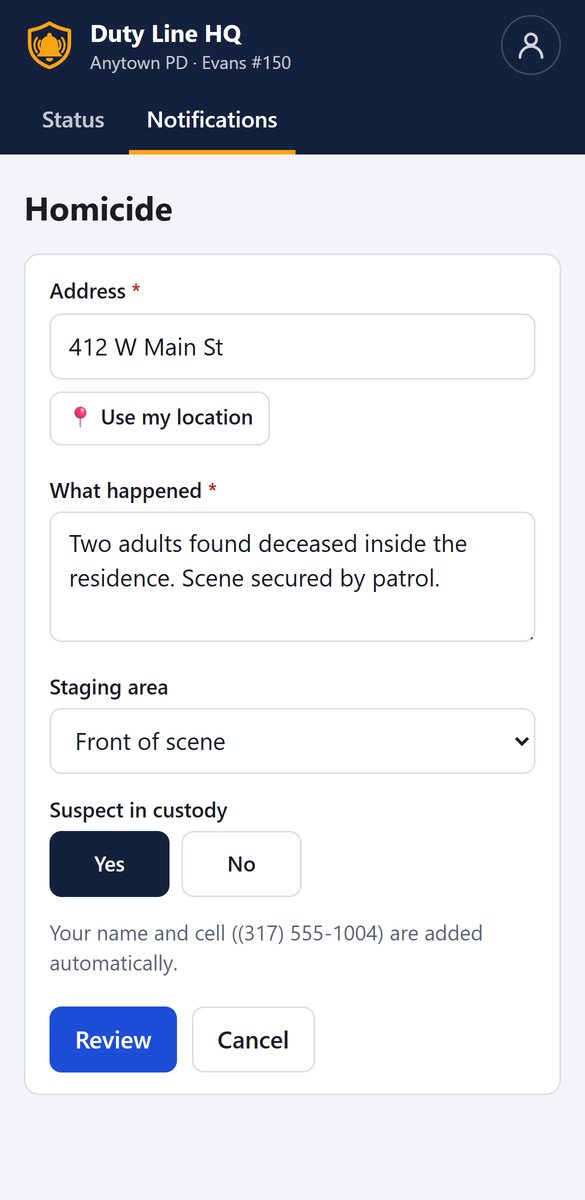
The supervisor sees who heard the call, who opened the link, and who's responding. Then it follows up for you.
- It stops the moment anyone marks Responding. The times are department settings.
- All-call for big scenes reaches every detective, or the rest of the roster.
- Each call-out prints as an incident report with a map and full timeline.
It rings whoever is actually working.
One number anyone in the department can call to reach the detective who's up. It isn't given to the public. It keeps going until someone takes the call.
- Press 1 to take it, so a personal voicemail can never grab a duty call.
- If the caller hangs up first, whoever is up gets a missed-call text with the number.
- Texts to the line go to whoever the line would ring first.
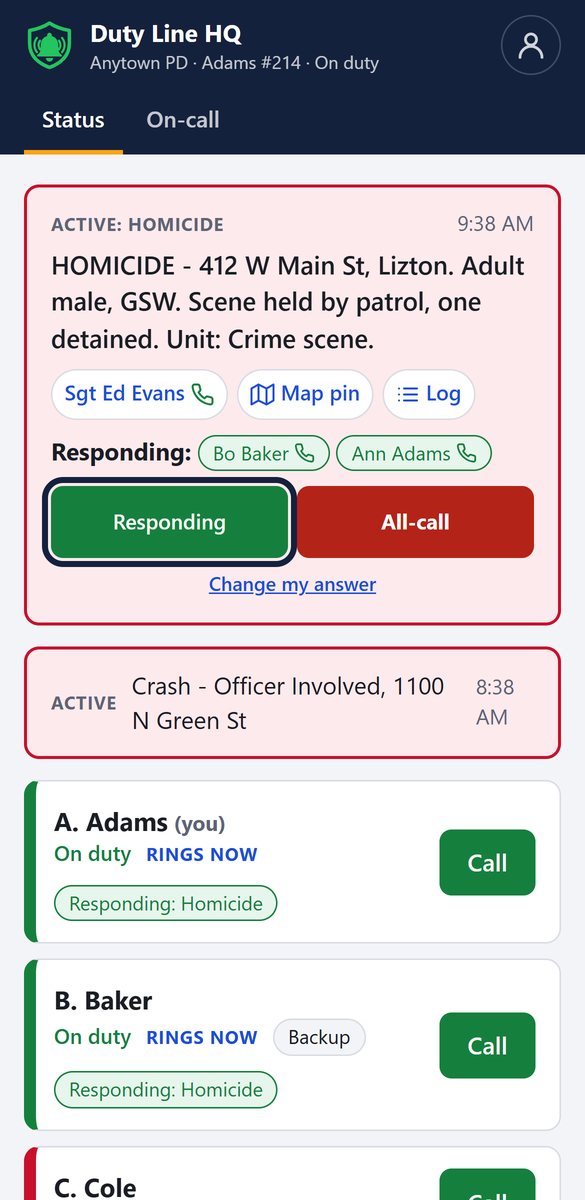
Everyone can see who's up. Nobody has to ask.
Schedule admins, like the detective sergeant, set the on-call week. Detectives swap whole days or cover a few hours themselves, and every change is logged.
- The 4 PM logoff, the morning hold-over, and weekend and holiday handoffs happen automatically.
- A one-tap duty switch in the app, and a morning "Are you on duty?" prompt.
- Schedule admins get a text 72 hours before any day with nobody on call.
Activate SWAT in seconds.
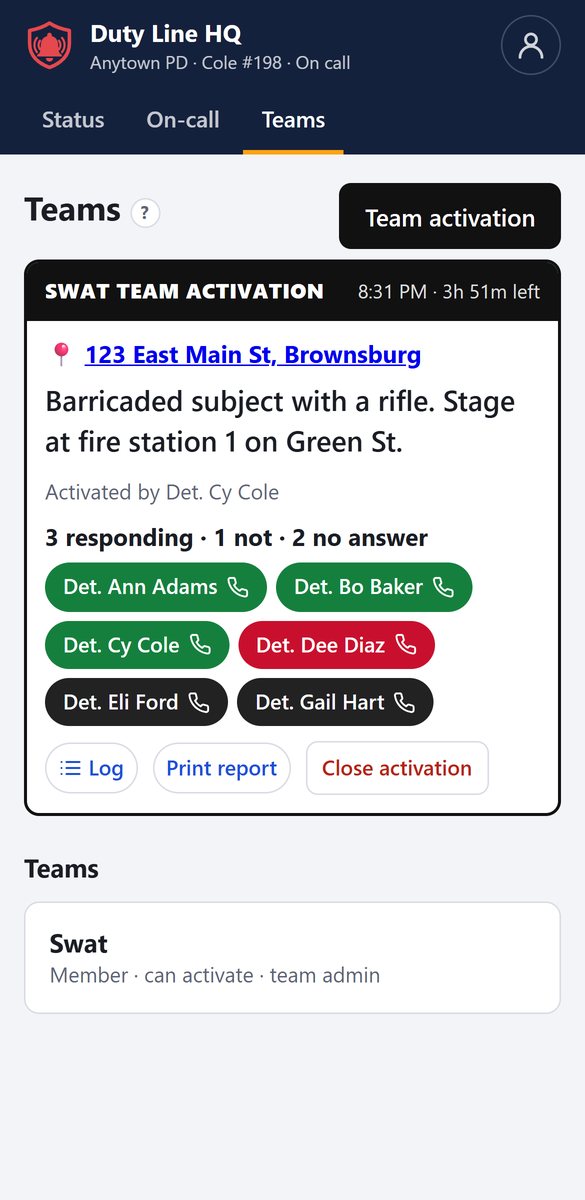
Any group can be made a team. An activator types the location and one message, and every available member is contacted at once. Members never need the app.
- A phone call reads the message: press 1 if responding, 2 if not.
- One text with the address and a map link. Members reply 1 or 2.
- Called again every 2½ minutes. A live board shows green, red and no answer.
Secure, reliable, and on the record.
Login by texted code
Officers enter their cell and get a six-digit code that expires in 10 minutes. No shared passwords.
Encrypted
Call-out details, texts and comments are encrypted with AES-256 on top of encrypted storage.
Everything logged
Every call, answer and change, with a name and a time. CSV export for records requests and court.
Backed up and tested
Nightly backups plus 30 days of history. The line calls itself every morning to make sure it works.
Text messages from Duty Line HQ
Duty Line HQ sends text messages only to a police department's own staff, for that department's work. It never sends marketing or promotional texts.
- Who gets texts
- Sworn officers and staff of a department that uses Duty Line HQ, plus members of that department's teams (for example SWAT members from partner agencies).
- How people opt in
- A department administrator adds a staff member's cell number to the roster only after that person agrees to receive duty-line calls and texts. People can choose call and text, or text only, on their account page.
- What they're about
- Call-outs and team activations, messages forwarded from the department's duty line, missed-call alerts, schedule gap warnings, and login codes.
- Frequency
- Message frequency varies with the department's calls and incidents.
- Cost
- Message and data rates may apply.
- Opt out or get help
- Reply STOP to any message to stop. Reply HELP for help, or email [email protected] or call (317) 716-5073.
- Sample messages
-
Duty Line HQ: Call-out. Tap to view and respond: [private link]Duty Line HQ: Missed call on the investigations line from (317) 555-0142.Duty Line HQ: Your login code is 482913. It expires in 10 minutes. Don't share it.
We do not sell or share phone numbers or SMS opt-in data with third parties for marketing. See our SMS Terms and Privacy Policy.
See it on your own phone.
Up and running in an afternoon. No server and no IT work. Manuals for detectives, supervisors and admins are included.